







































Accessories • Kuwait
USB-C Cables in Kuwait: Choose Charging Power, Data Support and Length
Choose a USB-C cable by its job, not just its connector. For a Kuwait purchase, check the device, charger, cable rating and length together. A higher charging-wattage label does not establish a faster data connection or monitor support.
Charging, data or a display?
| What you want | What to verify before buying |
|---|---|
| Charge a phone or tablet | Matching connectors, a supported charging protocol and a suitable cable power rating. |
| Charge a laptop | The laptop’s charger requirement, charger output and cable power rating together. |
| Copy large files | The stated data-transfer capability of the cable and both devices. |
| Connect a monitor | Explicit video support on the device, cable and display or adapter. |
60W versus 100W: read the rating correctly
A cable’s power rating describes its supported capability, not a promise that every device will charge at that wattage. USB Power Delivery negotiates power between compatible equipment. USB-IF treats cable power and data capabilities separately; check both rather than inferring one from the other.
Two current store options to compare
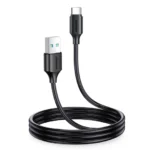
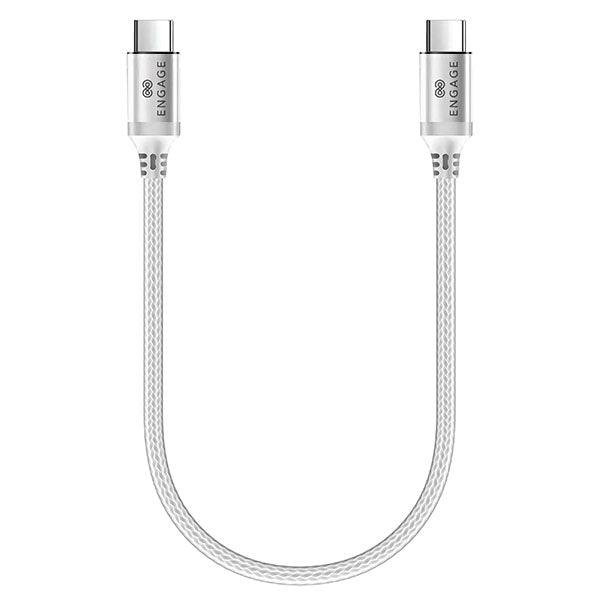
The Engage listing specifies a 100W USB-C to USB-C cable with a short 30cm length. The Joyroom S-A50 listing specifies 60W and a 1.2m length. These are different use cases: measure the route between your charger and device before choosing. These examples are not a claim of equivalent data or video capabilities.
What to ask before ordering
- What exact device and charger will I use?
- Do I need charging only, file transfer, a monitor connection or more than one function?
- Does the product description explicitly list the capability I need?
- Is the cable long enough without pulling on either connector?
- What is included in the selected product, and what warranty and fulfilment options apply?
Frequently asked questions
Does a 100W cable make a phone charge at 100W?
No. The phone, charger, supported protocol and cable work together; the cable label alone does not establish the charging speed.
Can every USB-C cable connect my laptop to a monitor?
Do not assume it. Check explicit video support for the complete setup.
Which price should I use?
Use the current linked product and checkout total. The product cards pull store pricing; availability can change.
Browse current accessories or read more Kuwait buying guides.
Sources
USB-IF cables and connectors, USB Power Delivery and Apple USB-C connection guidance. Store examples reflect listed specifications, not independent speed tests or a claim of USB-IF certification.